I Went Through Anthropic's Academy. Here's What's Actually Useful
Anthropic dropped this thing called the Anthropic Academy a while back. It's basically their official course on how to use Claude properly. Prompt engineering, tool use, all of that.
I went through the whole thing. Here's my honest breakdown of what's worth your time and what you can skip.
First Off, It's Free
Yeah, completely free. No credit card, no trial period nonsense. Just sign up and start learning. That alone makes it worth checking out.
The Good Stuff
Prompt Engineering Basics
This section genuinely changed how I write prompts. The biggest thing I learned: be specific about the format you want.
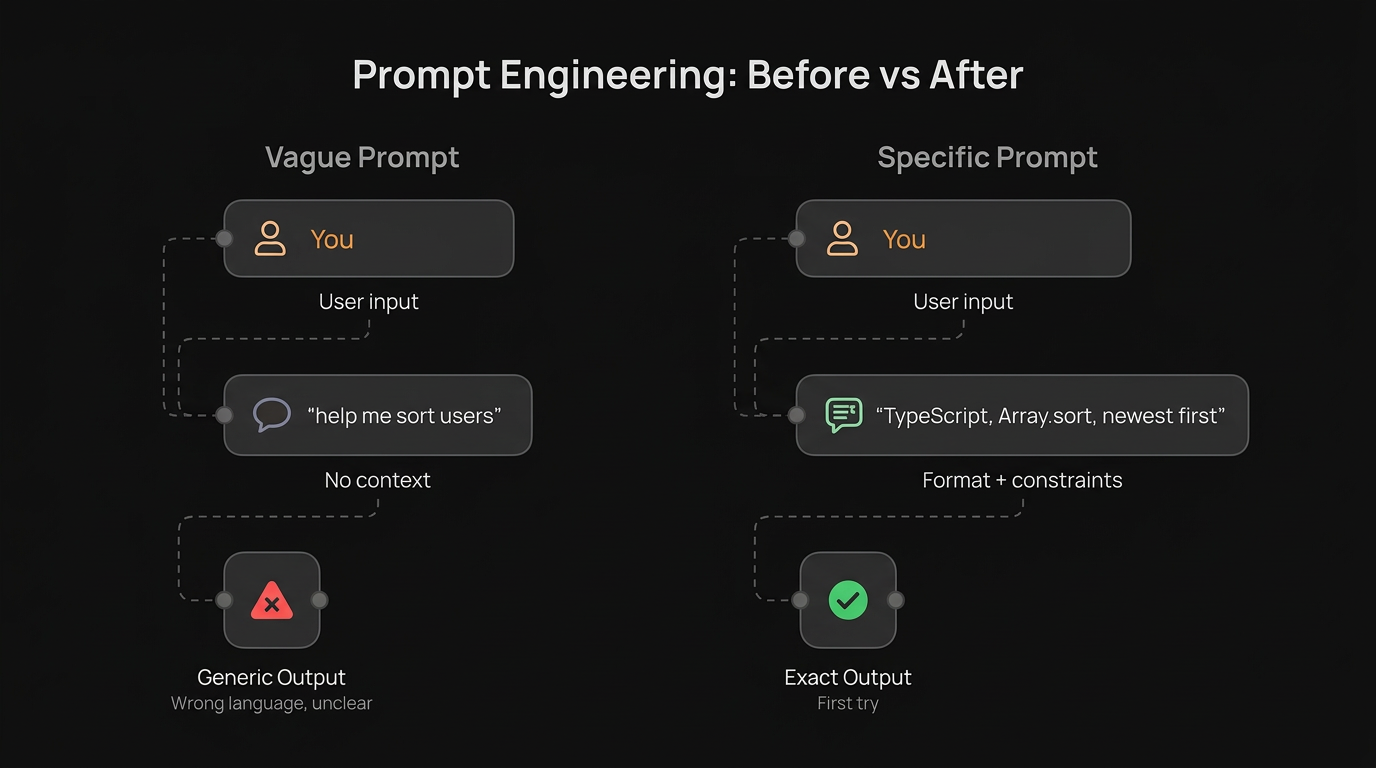
Before: "Help me write a function to sort users"
After: "Write a TypeScript function that takes an array of User objects and returns them sorted by createdAt date, newest first. Use Array.sort(). No external libraries."
Same AI, wildly different results. The course explains exactly why and gives you frameworks for this.
System Prompts
I had no idea how powerful system prompts were until this course. You can basically set up Claude's personality, knowledge boundaries, and output style before even starting a conversation.
I now use system prompts for everything. Code reviews, writing, even debugging. It's like having different "modes" for the AI.
Chain of Thought
This one's simple but effective. If you want Claude to think through a problem step by step, you literally just tell it to. The course shows you different ways to do this and when each approach works best.
Sounds obvious but the examples they give show how much better the outputs get.
The Meh Stuff
The Theory Sections
There's some sections about how language models work internally. If you're into that, cool. But if you just want practical skills, you can skip these without missing much.
Enterprise Use Cases
Unless you're deploying Claude at a company level, the enterprise sections aren't super relevant for individual developers. Skim these.
What I Actually Changed After
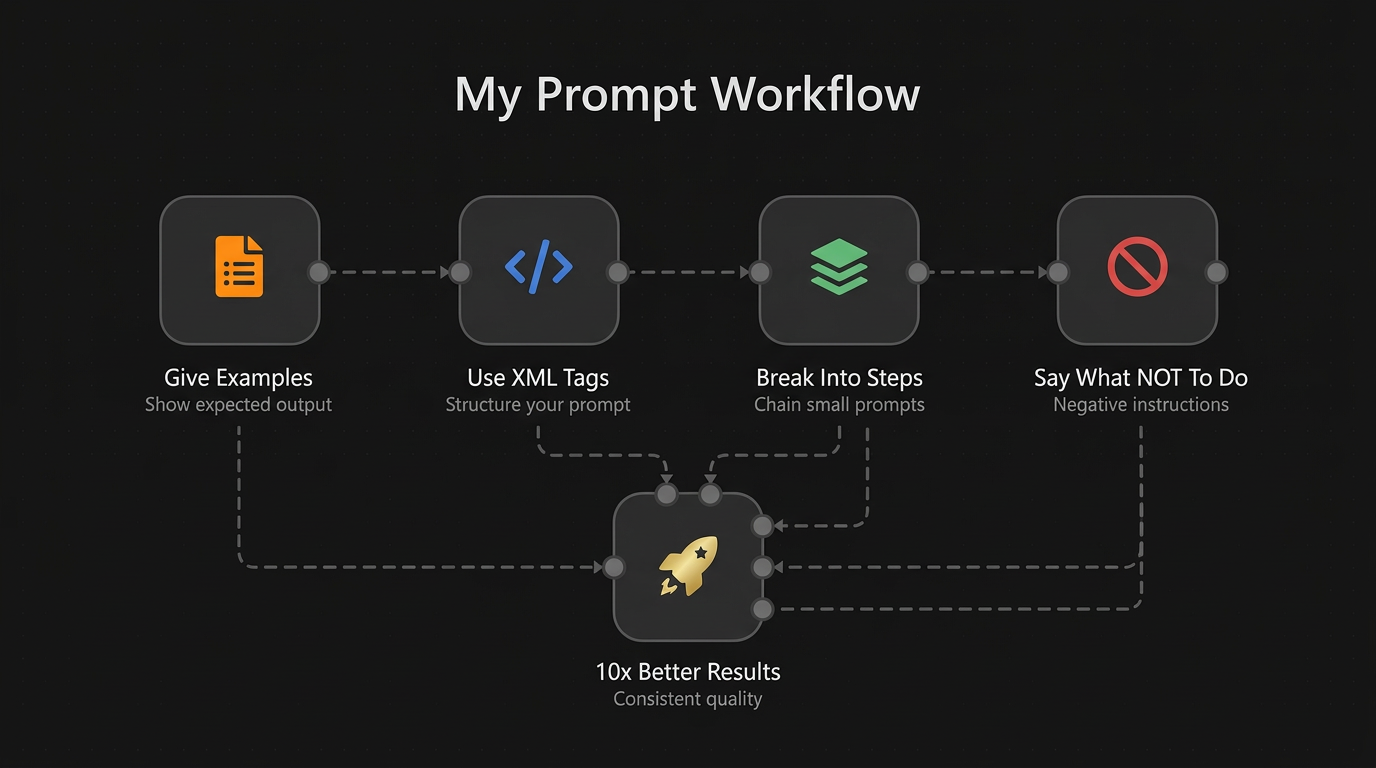
Here's what stuck with me and what I actually use daily:
-
I always give examples now. Instead of describing what I want, I show one example of the output I'm expecting. Results improved like 10x.
-
I use XML tags for structure. Sounds weird but wrapping different parts of your prompt in tags like
<context>and<instructions>helps Claude parse what you're asking way better. -
I break complex tasks into steps. Instead of one massive prompt, I chain smaller prompts together. Each one builds on the last. Way more reliable.
-
I tell Claude what NOT to do. This was a game changer. "Don't add comments explaining obvious code" or "Don't use emojis". Negative instructions are surprisingly effective.
Is It Worth Your Time?
If you use any AI tool regularly, yes. Even if you don't use Claude specifically, the prompt engineering principles apply everywhere.
The whole thing takes maybe 3-4 hours if you actually do the exercises. You can speed run it in 2 hours if you just read.
Honestly, the prompt engineering section alone is worth it. Everything else is bonus.
Where to Find It
Just google "Anthropic Academy" or go to their docs. It's right there, no hidden paywall or anything.
Stop watching random YouTube tutorials about "10x your AI productivity" and just do this course instead. It's from the people who actually built the thing.
Resources
- Anthropic Courses - The official course materials on GitHub
- Anthropic Docs - Full Claude API documentation
- Prompt Engineering Guide - Anthropic's official prompting best practices
- Claude Cookbook - Code examples and patterns for building with Claude
- Prasenjit