How I Actually Use AI As a Developer (No BS Guide)
Every other day there's a new tweet saying "AI will replace developers" or "if you're not using AI you're already dead" and honestly? Both takes are trash.
Here's what's actually happening: AI is a tool. A really good tool. But it's not magic and it's not replacing anyone who actually knows what they're doing.
Let me show you how I actually use it. No hype, no fear.
My Daily Setup
I use Cursor as my code editor. It's VS Code but with AI baked in. I also use Claude directly for longer conversations and planning.
That's it. I don't have 17 AI subscriptions. Two tools, used well.
What AI Is Great At (and Bad At)
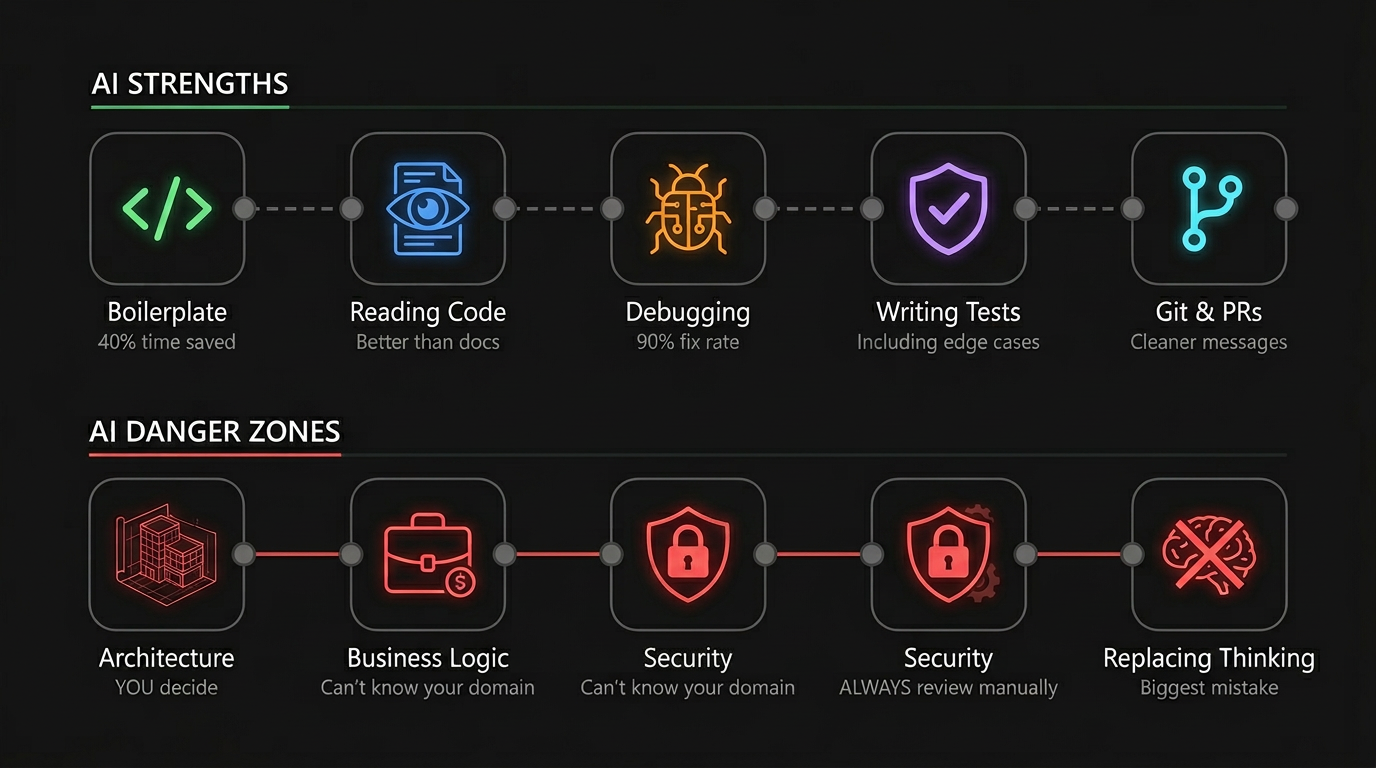
1. Boilerplate Code
This is the most obvious one. Setting up a new component, writing types, creating API routes. Stuff that's repetitive and you've done a hundred times.
I don't write boilerplate anymore. I describe what I need and the AI generates it. Then I review it, tweak it, and move on.
Time saved: like 40% of my day honestly.
2. Understanding Unfamiliar Code
Joined a new project? Got assigned a codebase you've never seen? Instead of spending 3 hours reading through files, I paste the code and ask "what does this do and why?"
The AI explains it better than most documentation.
3. Debugging
"Hey, this function returns undefined when the input is an empty array, here's the code" and 90% of the time I get the fix immediately.
The key is giving context. Don't just paste an error message. Paste the code, the error, and what you expected to happen. AI needs the same context a human would need.
4. Writing Tests
Nobody likes writing tests. I said it. AI makes it bearable. I describe what the function should do, and it writes the test cases. Including edge cases I sometimes wouldn't think of.
5. Git Commit Messages and PRs
Small thing but I let AI write my commit messages and PR descriptions now. They come out cleaner and more descriptive than what I'd write at 2am.
What AI Is Bad At
Architecture Decisions
"Should I use a monorepo?" "Should I pick Postgres or MongoDB?" AI will give you an answer but it doesn't know YOUR specific situation. Team size, scale requirements, existing infrastructure. These decisions need human judgment.
I use AI to explore options and understand trade-offs. But I make the call.
Complex Business Logic
If the logic involves understanding your specific business domain deeply, AI struggles. It can implement what you describe, but it can't decide what the business rules should be.
Security
Never blindly trust AI-generated code for authentication, authorization, or data handling. Always review security-critical code manually. Always.
Replacing Thinking
The worst thing you can do is stop thinking and just accept whatever AI gives you. If you don't understand the code it wrote, you can't debug it when it breaks. And it will break.
My Rules
-
Always read what AI writes. Don't just accept and move on. Read it like you'd read a junior dev's PR.
-
Small prompts > big prompts. Don't try to build an entire feature in one shot. Break it into steps.
-
Give context, get quality. The more specific you are, the better the output. "Make a button" vs "Make a primary CTA button with loading state, disabled state, and size variants using our existing design tokens."
-
Use it for the boring stuff. Save your brain energy for the hard problems. Let AI handle the repetitive work.
-
Don't fight the tool. If AI keeps getting something wrong after 3 attempts, just write it yourself. Know when to stop prompting and start coding.
The Reality
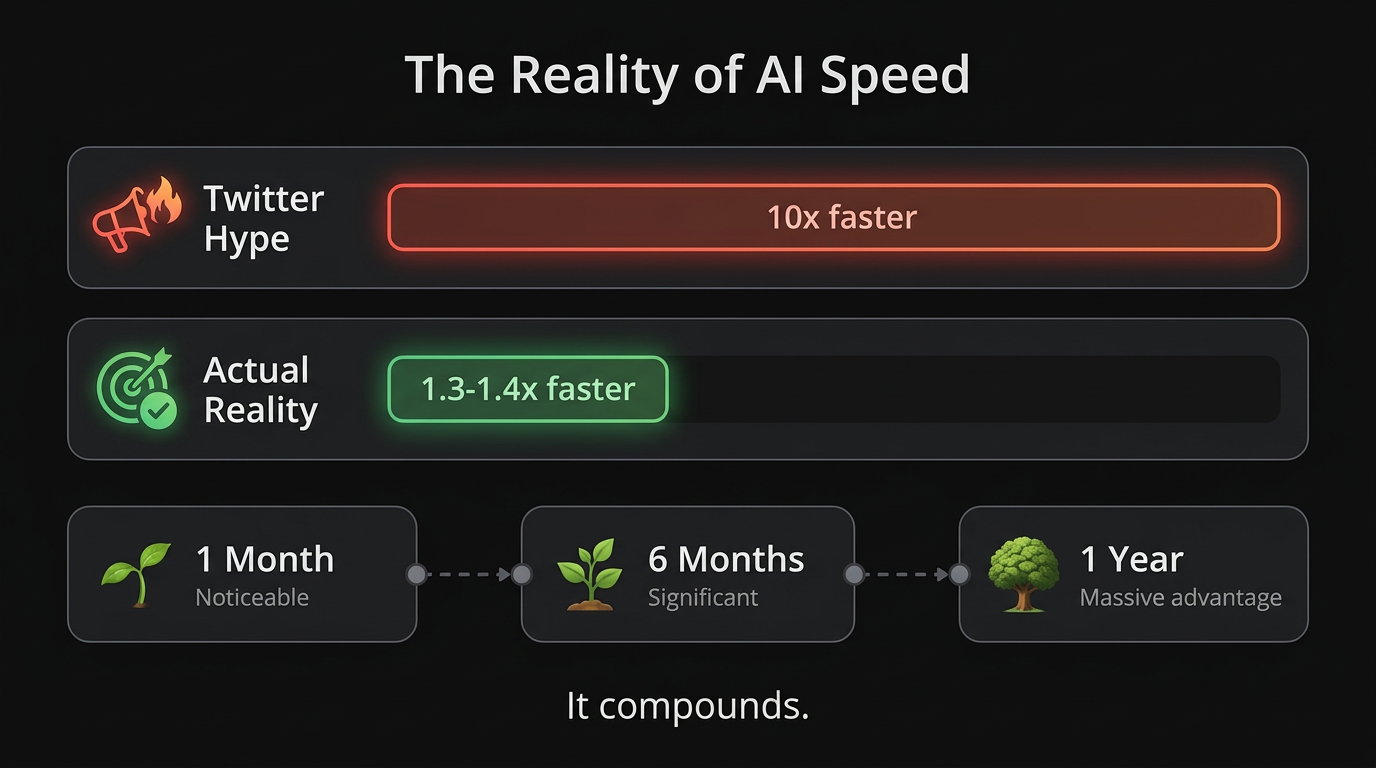
AI made me maybe 30-40% faster. Not 10x. Not 100x. But 30-40% faster on a consistent basis, every single day.
That compounds. Over a month, that's significant. Over a year, that's a massive advantage.
But it only works if you already know what you're doing. AI amplifies skill. If you're good, AI makes you great. If you don't understand the fundamentals, AI gives you code you can't maintain.
Learn the craft first. Then use AI to accelerate it.
Resources
- Cursor - The AI code editor I use daily
- Claude - For longer conversations and planning
- Vercel AI SDK - If you want to build AI features into your own apps
- Anthropic Courses - Free courses on prompt engineering
- r/cursor - Community tips and workflows
- Prasenjit